
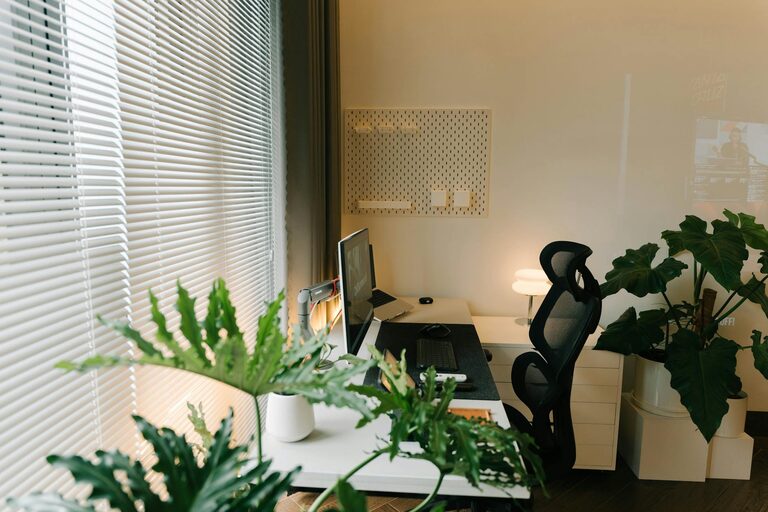
Tips for Creating a Productive and Inspiring Home Workspace
Creating a home workspace that is both productive and inspiring is essential for anyone working from home or managing personal projects. A thoughtfully designed area can help maintain focus, improve efficiency, and make your working hours more enjoyable. Whether you have a dedicated room or just a small corner, there are simple steps you can take to transform your space.
Why a Good Workspace Matters
A well-planned workspace sets the tone for your workday. It minimises distractions and encourages an organised mindset. When your environment looks and feels right, it’s easier to settle into tasks and stay motivated. Conversely, clutter or poor lighting can cause stress and fatigue, reducing productivity.
Choosing the Right Location
Find a Quiet Spot
Look for a space with minimal noise and interruptions. If possible, avoid busy areas like the living room or kitchen. Even a small nook or part of a bedroom can work well if quiet.
Consider Natural Light
Natural light can significantly improve mood and concentration. Place your desk near a window if possible. If natural light is limited, invest in good-quality desk lighting that mimics daylight.
Comfortable and Functional Furniture
Invest in a Good Chair
Comfort is key when spending hours at a desk. Choose a supportive chair that encourages good posture. Adjustable features like height and backrest angle can make a big difference.
Select a Desk That Fits Your Needs
Your desk should have enough surface area for your essentials—laptop, notebooks, and other tools. Think about storage options such as drawers or shelves to keep your workspace tidy.
Organising Your Workspace
Keep Essentials Within Reach
Arrange frequently used items nearby to avoid distractions from searching for things. Use organisers like pen holders, trays, or baskets to keep small items orderly.
Declutter Regularly
A cluttered space can hinder focus. Set aside time weekly to clear unnecessary papers or items. Use filing systems or digital tools to manage documents efficiently.
Personalising Your Space
Add Inspiring Elements
Incorporate items that motivate you, such as artwork, plants, or photos. Plants, in particular, can reduce stress and improve air quality.
Use Colours Wisely
Choose colours that align with your work style. Soft blues and greens tend to be calming, while bright colours like yellow can spark creativity.
Managing Technology
Set Up Efficient Tech Equipment
Ensure your computer, keyboard, mouse, and other devices are ergonomically arranged to prevent strain. Cable management solutions help keep wires tidy.
Minimise Distractions
Turn off notifications or use apps to block distracting websites during work hours. Use headphones if background noise is unavoidable.
Maintaining Work-Life Balance
Establish Boundaries
Create clear rules about when and where you work, especially if sharing your home with others. Use your workspace only for work to help your brain associate it with productivity.
Take Breaks and Move
Incorporate short breaks to stretch and refresh. This practice improves focus and reduces fatigue.
Lighting Tips for Different Tasks
Task lighting is essential for activities like reading or writing, while ambient lighting creates a welcoming atmosphere. Adjustable lamps allow you to direct light where it’s needed most.
Final Thoughts
Designing a productive and inspiring home workspace doesn’t require a large budget or a big room. With attention to comfort, organisation, personal touches, and good lighting, you can create an environment that supports your work goals and well-being. Start small, make gradual improvements, and tailor your space to what helps you work best.
